How To Listen Online Radio Stations with Winamp
here are many ways for online entertainment. There have been many discussions related with streaming internet music or streaming video all over the blogosphere these days. Every such discussion included either sites which serve internet radio or some softwares which you need to listen to music. Here I am going to share with you the technique I use regularly to listen to free music online.
You don’t need to buy any software or don’t even need to install another

Any version of winamp above 2.5 is ok for this. For playing internet radio, you need winamp playlist
When a radio station of your choice is found, just click on “Tune in” button at the left. Download
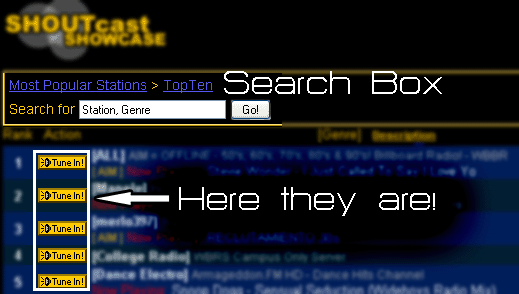
While choosing, its wise to pick the ones with a better bitrate of around 96kbps to 128 kbps. They provide you with better quality of sound. Even, you may sort the search results by bitrate.
There are different genre available on the site like alternative, classical, country, dance/house, funk, jazz, metal, mixed, pop, rap, RnB, rock, talk, techno, 70’s, 80’s and world. The wisest way is to search by yourself.

0 comments:
Post a Comment