Google Wave : Review And user guide for Dummies and Invite Giveaway too!
 For all those thinking, Google Wave is a killer for FaceBook and Twitter, it surely is but only if you understand. Well, let me tell you the story from Beginning.
I have a good Friend, Binoy. His Gtalk status said *****@googlewave.com. I asked him was he on Google wave? He said yes! Oh great, then what? I asked him if we could do the honor of inviting me and he did agree. He nominated me. I waited for a day, no response. 2 Days, nothing. 3, Nothing, and the finally on 5th day here i have. Perhaps Google does take a lot of time licking those stamps.
Anyways, on the fifth day i got this mail.
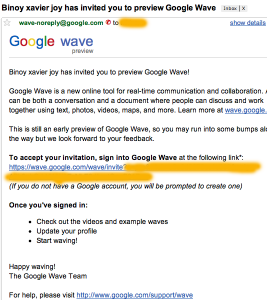
Google Wave Invite Mail
I was pretty excited, to check it out after all people were ready to pay upto $150 for it! So, dumping off my English Homework i went on to try Google wave.
So there it goes. When i log in i See -
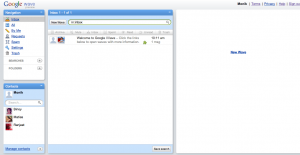
Google Wave home Page
This first thought to my mind. WTF? Well, it’s damn complicated to understand. When, i showed it to my younger brother, he said he could solve a rubix cube in less time then Understanding Google Wave and it’s not just me. But reading some guides and check out Google Wave’s help center i found out things to get my self going.
Then first thing i did, was tweeted and tweeted asking if anyone too, was on Google wave. You can read some of my tweets, on my twitter profile while they were still hot!
Tweeting for Wave
After that i’ve got atleast 2 friends add me  There we go. First thing i did was started a wave. To Start a wave you need to click on new wave.
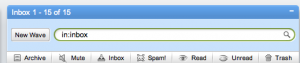
Adding a New wave
Then select the participants of the wave, whom you want to get the wave in their inbox. Here’s a screen shot of what it looks like.
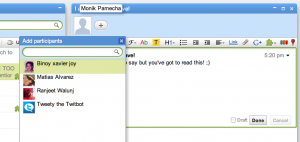
Adding Participants for Google Wave
Once You put have a wave, next what happens when you get a reply in your inbox. Here’s a view of the Inbox.
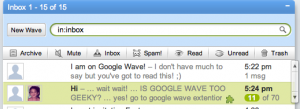
Google Wave Inbox
Well, all that is what the wave is about, but lets check out the actual wave. So i had convinced one of my friend, Binoy to help me out with that. So, few things i found out. Chatting is real time. Like if your using Google Talk or Yahoo Messenger you can’t ever find what the person has typed untill he pushes enter but in Google Wave as soon as he types i can see it without the actual need to hit enter. So I can measure anyone’s typing speed to or how many typo’s anyone makes.
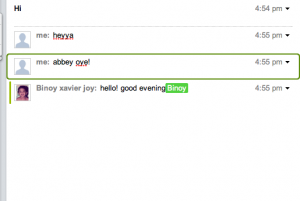
Real-Time Chat
Now going next to thing is Google Search on the Go. And not just searching the web but searching Images, Videos, Books (Under-Construction) and More. And after searching not only you can view the results, but add them to your wave too. Screenshot for that too? Ok.
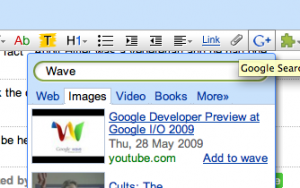
Google Search on Wave
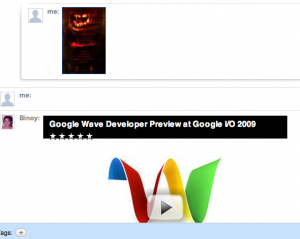
Adding Youtube Videos and Image in Your wave
Well, i should have mentioned this earlier but i am mentioning it now. How does it matter? Well I’ll give you a view of the Text Editor which will help you make your text look more attractive and sexy. Well, not just that you can upload your attachments too over there, just click on the paper-clip icon and then upload it and share it on your wave!
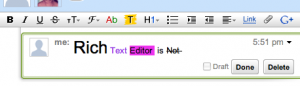
Rich Text Editor
Other Important part of wave are those three little icons sitting on the left of your wave editor box.

Important Wave Tools
Let me go one by one. The “G” icon is for Google Search which i mentioned Earlier. Then come’s the Jigsaw puzzle like icon which on clicking allows you to add any third party, Gadget to your wave. Then is a icon with those three rectangles of different colors. Those are one’s for posting a Poll. Just type your question and add the Poll which will have options, Yes, No or Maybe.
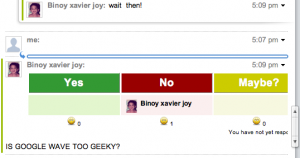
Polls on Google Wave
And along with that the last icon, you can add maps also, which you can share via your wave.
Final Rating : 7/10

0 comments:
Post a Comment